What is Cogrion
Internal Documentation
This is the internal knowledge base for the Cogrion platform team
Cogrion is a managed data platform for data teams. It brings together SQL, pipelines, machine learning, and governance tooling in one place — provisioned and operated on the tenant's own cloud account.
The Cogrion Platform
Cogrion gives data teams the tools they need without the infrastructure burden. Instead of assembling and maintaining a data stack from scratch — selecting tools, configuring integrations, managing upgrades, and wiring authentication — tenants start from a working, opinionated setup and extend it from there.
The platform runs on a Bring Your Own Cloud model. Each tenant organization gets a dedicated environment provisioned into their own AWS or AliCloud account. Cogrion manages the control plane, the application catalog, and the web interface. Everything else — compute, storage, network, data — stays in the tenant's cloud. Data never transits through Cogrion infrastructure.
Built on Open Source
Cogrion is built on a curated set of open source technologies. Rather than building custom implementations, the platform packages, integrates, and manages well-established open source projects — and handles version updates, security patches, and configuration compatibility across the stack. Tenants get the ecosystem benefits of open source without the operational overhead.
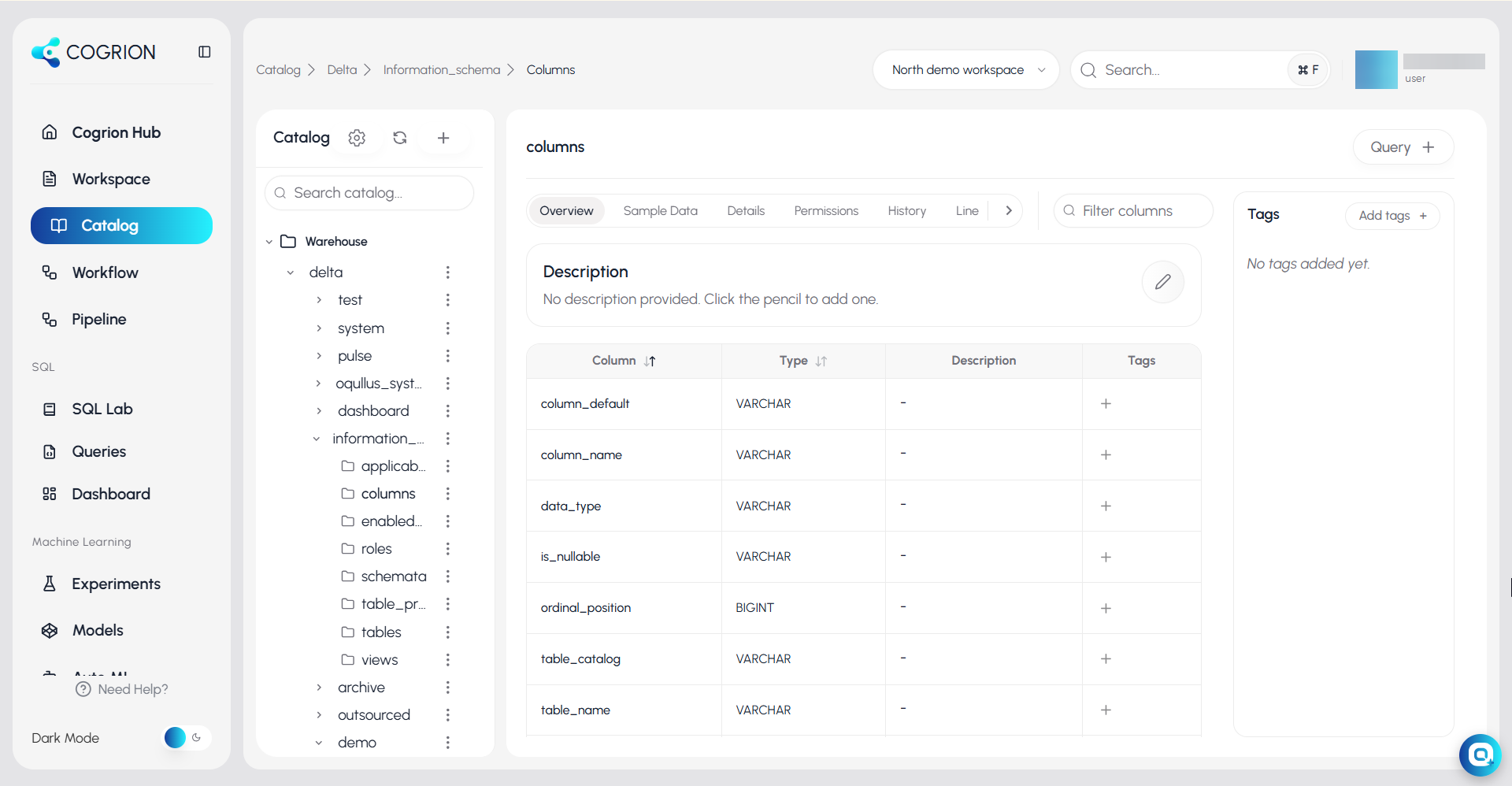
Platform at a Glance
- Workspace — Organize notebooks and files in a collaborative folder structure with sharing and scheduling
- Catalog — Browse tables and schemas, assign ownership, trace lineage, and manage access
- Workflow — Author and monitor DAG-based data pipelines with built-in scheduling and retry logic
- SQL
- SQL Lab — Write and run queries against data directly from the browser
- Queries — Save, search, and re-run query history
- Dashboard — Build interactive charts and share them across the team
- Machine Learning
- Experiments — Track training runs, compare metrics, and reproduce results
- Features — Manage reusable feature groups with defined ownership and storage backends
- Models — Register, version, and promote trained models through staging and production
- Auto ML — Automated model selection and training with evaluation metrics
- AI Gateway — Deploy models as REST endpoints — internal or external providers
See how different tenant teams use the platform on Common use cases
Find Your Path
| You are... | |
|---|---|
| Backend / API developer | Authentication · AI Gateway · Tenant isolation |
| Frontend / UI engineer | SQL Lab · Dashboard · Auth flows |
| DevOps / Infra | BYOC model · Architecture · Deployment lifecycle |
| Data engineer | Workflows · Catalog & lineage · Access policies |
| Data scientist / ML | Experiments · Feature store · Model registry · AI Gateway |
| Sales / non-technical | Use cases · BYOC explained · Security summary |